
Player Decision Brief
Game Compressor
If you keep a large Windows game library and need disk space, Game Compressor provides a GUI for LZX filesystem compression with savings previews, queuing, and reversible changes — results vary by title.
Is Game Compressor Right For You?
Best For
- ✓ Windows users with large game libraries
- ✓ Players who want to keep games installed
- ✓ Users who prefer a GUI over command-line tools
- ✓ Owners of limited SSD/HDD space
Think Twice If
- ! Non-Windows users
- ! Players expecting guaranteed large savings for every title
- ! Those who prefer free command-line utilities
Before You Buy Game Compressor
Confirm you run a 64-bit Windows OS and check recommended system suggestions for faster compression.
Use the app’s scan to preview estimated savings before compressing any game—savings vary widely by title.
Expect compression to take CPU time; a faster multi-core processor speeds the process.
Compare the Steam screenshots, videos and user reviews to see real user reports and known bugs before purchase.
Game Compressor Fit Matrix
Coop
Low
Solo
High
Grind
Low
Story
Low
Performance risk
Medium
Beginner friendly
Medium
What Players Say About Game Compressor
Recurring player themes that may help you decide whether this game fits your taste.
Players Often Praise
- • Effective at reclaiming disk space across large libraries
- • Easy-to-use graphical interface compared with command-line alternatives
- • Active developer response and frequent updates
Common Complaints
- • Some users encounter bugs, hangs, or UI update issues
- • Compression results are inconsistent—some titles compress very well while others yield little or no savings
- • Compression can be slow on large games or slower CPUs
Mixed Reactions
- • Most players report little gameplay impact, but a few note longer load times on specific engines or titles
- • Several reviewers mention free alternatives exist, trading cost for convenience
Performance Notes
- • Compression speed benefits from more CPU cores; most reports indicate minimal runtime performance loss but test per-title first
Purchase Notes
- • Sold as a paid utility on Steam; users compare its convenience to free command-line tools
Player Fit
- • Best for Windows gamers who want a simple GUI to reclaim space and are willing to accept variable savings and occasional bugs
Game Compressor Key Features
Windows LZX filesystem compression
Game Compressor uses the built‑in Windows LZX compression at the file-system level so compressed files remain accessible without archive extraction.
Preview estimated savings
Scan your installed library and view estimated space savings per game before committing, helping you pick the titles worth compressing.
Queue multiple games
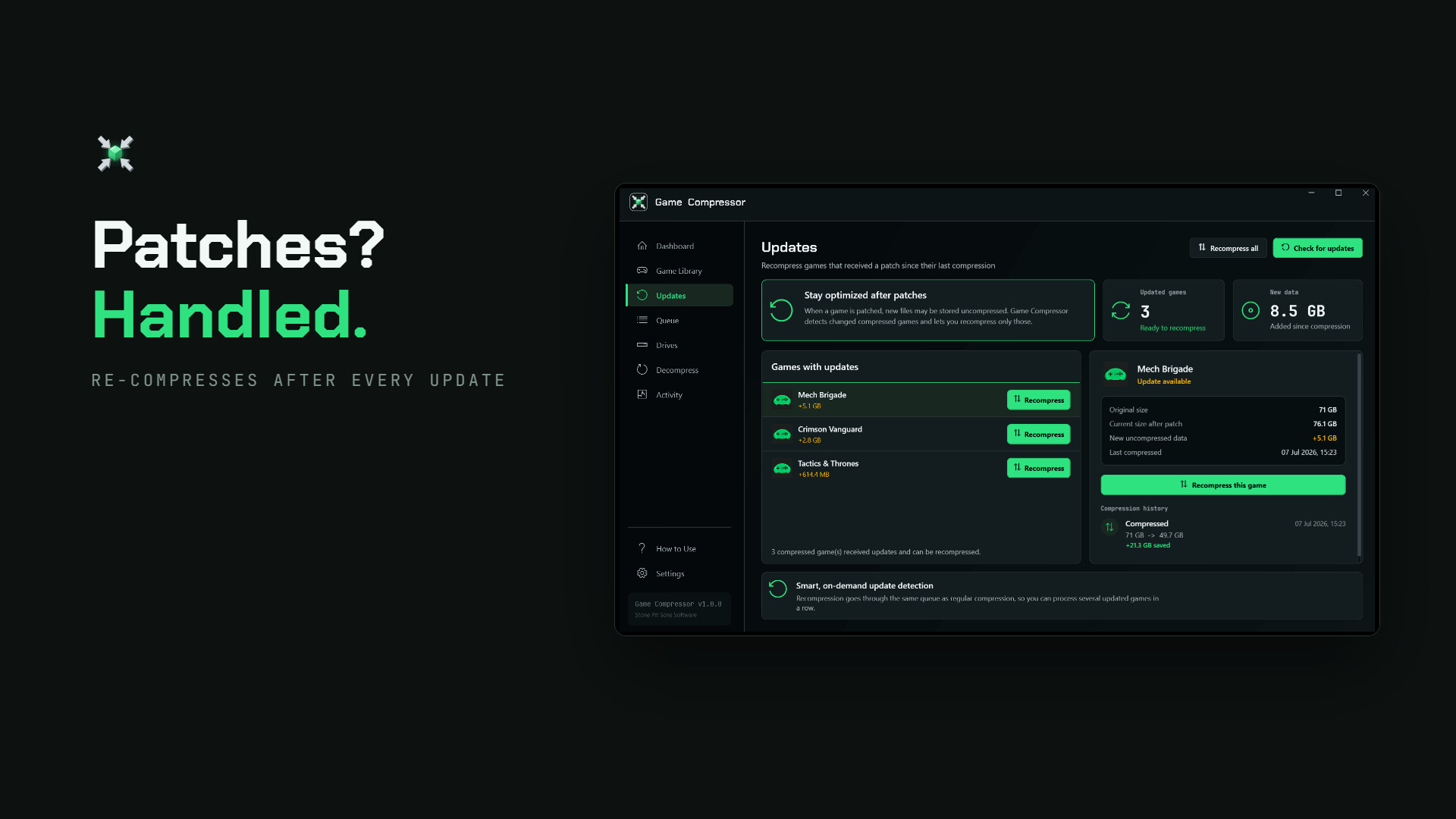
Add several games to a queue and compress them one after another rather than handling each title manually.
Reversible operation
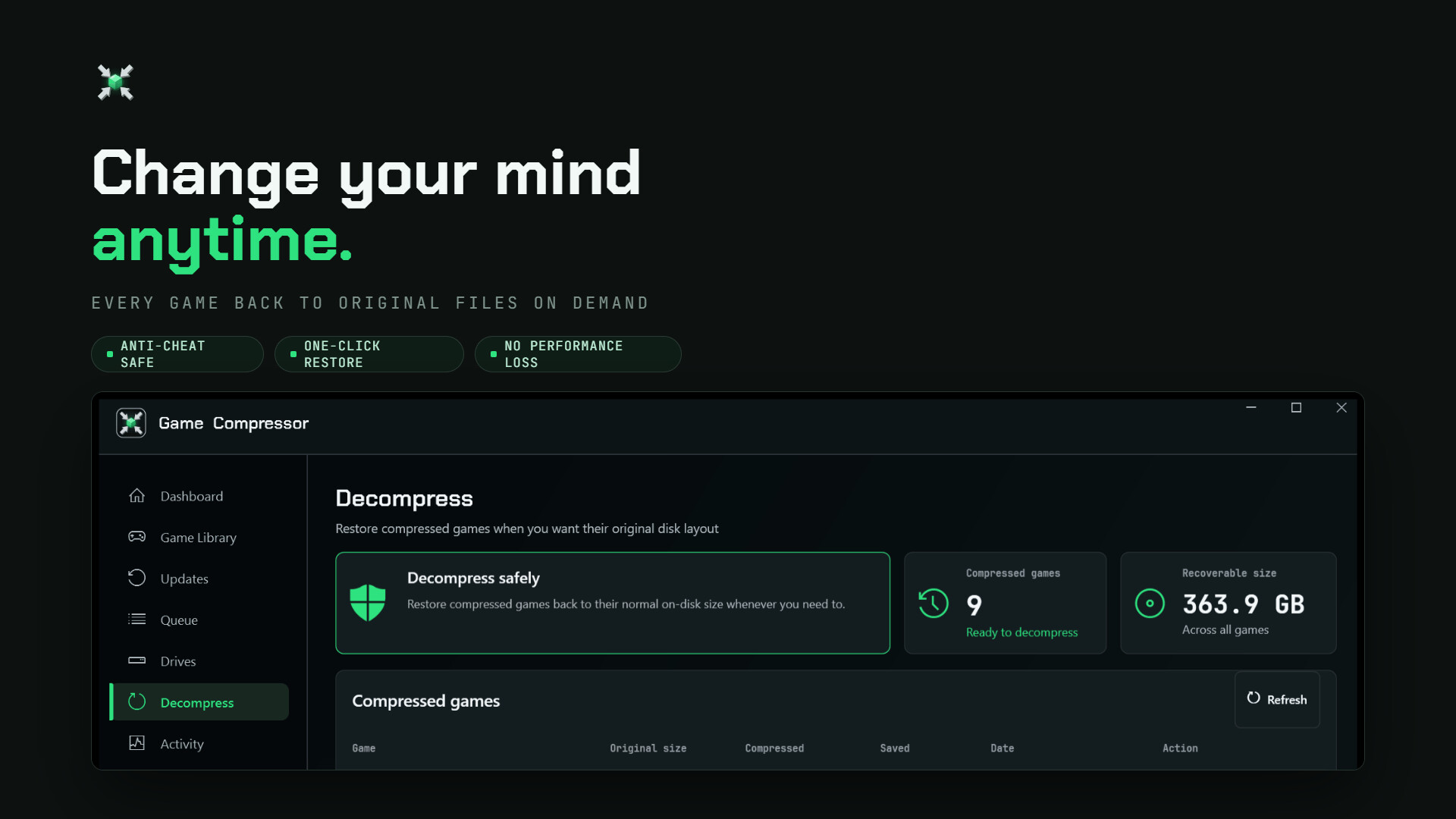
Game Compressor lets you undo compression anytime to restore original disk usage for a game.
Transparent access while playing
Compressed games remain playable without extraction; Windows and games continue to access files normally after compression.
Windows-focused with many interface languages
Designed for 64-bit Windows systems and available with a range of interface translations to suit non-English users.
Game Compressor Screenshots


Game Compressor FAQ
What platforms does Game Compressor run on?
Game Compressor is built for 64-bit Windows. Check the Steam page for the exact supported Windows versions and any additional system notes before downloading.
How does Game Compressor reduce game size?
Game Compressor uses Windows’ LZX filesystem compression (not ZIP/RAR). It compresses files at the file-system level so games remain playable without extracting archives, and you can undo compression later.
Will compression affect gameplay or performance?
Most users report no noticeable performance impact, but results can vary by engine and title. Some reviewers note occasional longer load times on certain games; test a single title first using Game Compressor’s estimated-savings scan.
Which languages and interface options does Game Compressor offer?
Game Compressor includes multiple interface translations. Visit the Steam page to see the full list of supported languages and which parts of the app are localized.
Is Game Compressor free or paid, and are there alternatives?
Game Compressor is distributed as a paid utility on Steam. There are also free command-line and third-party tools that use the same underlying Windows compression; compare features and ease of use before deciding.
Genres
Tags
Check On Steam
Use this brief to decide whether Game Compressor is worth a closer look, then confirm the details that can change or depend on your setup.
- • Latest system requirements for your PC
- • Interface, subtitle, and audio language support
- • Current price, discounts, release timing, and platform notes
Latest Games
MoreA quick way to spot a few of the newest releases worth browsing next.
The Fame Game II: L.A. Heartbreaker
Recommendation Brief
More Games To Consider After Game Compressor
These picks are ranked by similarity signals, freshness, and review strength, then presented with only the most useful non-repeating match cues.
ScagJPT
565 reviewsTry ScagJPT if you want a nearby take on utilities and software, with its own mix of scope and pacing.
Little LUMI Model
426 reviewsTry Little LUMI Model if you want a nearby take on utilities and software, with its own mix of scope and pacing.
Next Reign: Kingdom
137 reviewsTry Next Reign: Kingdom if you want a nearby take on management and automation, with its own mix of scope and pacing.
Dirty Business
447 reviewsTry Dirty Business if you want a nearby take on management and automation, with its own mix of scope and pacing.
Infinite Ruins
91 reviewsTry Infinite Ruins if you want a nearby take on management and automation, with its own mix of scope and pacing.
Your Fiancée
587 reviewsTry Your Fiancée if you want a nearby take on utilities and software, with its own mix of scope and pacing.