
Player Decision Brief
Desktop Explorer
Desktop Explorer suits players who enjoy desktop-based puzzle hunting and detective-style mysteries with a 90s PC aesthetic—expect demanding, cryptic puzzles, note-taking, and a narrative told through files and interfaces.
Is Desktop Explorer Right For You?
Best For
- ✓ Players who like deep, desktop-style puzzles
- ✓ Fans of digital/microcomputer nostalgia and UI-driven worlds
- ✓ Solo players who enjoy investigative narratives
- ✓ Players willing to take notes and think laterally
Think Twice If
- ! Those seeking action, multiplayer, or fast-paced gameplay
- ! Players who prefer linear, heavily guided puzzle experiences
- ! People sensitive to flashing lights or rapid screen effects
Before You Buy Desktop Explorer
Try the demo, trailer and screenshots to confirm you like the faux-OS presentation and puzzle style.
Check platform compatibility for your Windows or macOS version and confirm install size and system requirements on Steam.
Be prepared for cryptic puzzles that may require note‑taking, familiarity with basic computer concepts, and occasional outside-the-box thinking.
Note the game is single-player with Steam achievements and cloud saves; no multiplayer features are listed.
If you have photosensitivity concerns, review the game's photosensitivity warning and visual examples before purchase.
Desktop Explorer Fit Matrix
Coop
Low
Solo
High
Grind
Low
Story
High
Performance risk
Low
Beginner friendly
Medium
What Players Say About Desktop Explorer
Recurring player themes that may help you decide whether this game fits your taste.
Players Often Praise
- • Creative, satisfying puzzle design that rewards lateral thinking
- • Strong 90s PC aesthetic and user-interface presentation
- • Atmospheric soundtrack and writing that enhance the mystery
- • Clever integration of gameplay into desktop UI and mini‑games
Common Complaints
- • Some puzzles are perceived as obscure or ask for improbable leaps
- • Occasional signposting issues and uneven pacing across chapters
- • A minority of players expected a different balance of exploration vs. constrained puzzle sequences
Mixed Reactions
- • Difficulty: a split between players who find puzzles challenging but fair and those who find some solutions unintuitive
- • In-game hints: useful for some, insufficient for others
Performance Notes
- • Reviews do not highlight widespread technical problems; the game lists modest system requirements and a small install footprint
Purchase Notes
- • Released as a paid single-purchase title on Steam with standard store features
Player Fit
- • Recommended for puzzle and detective fans who enjoy slow-burn mysteries and interface-driven challenges
- • Less suited to players wanting constant hand-holding, co-op, or action-focused gameplay
Desktop Explorer Key Features
Fake 90s Operating System
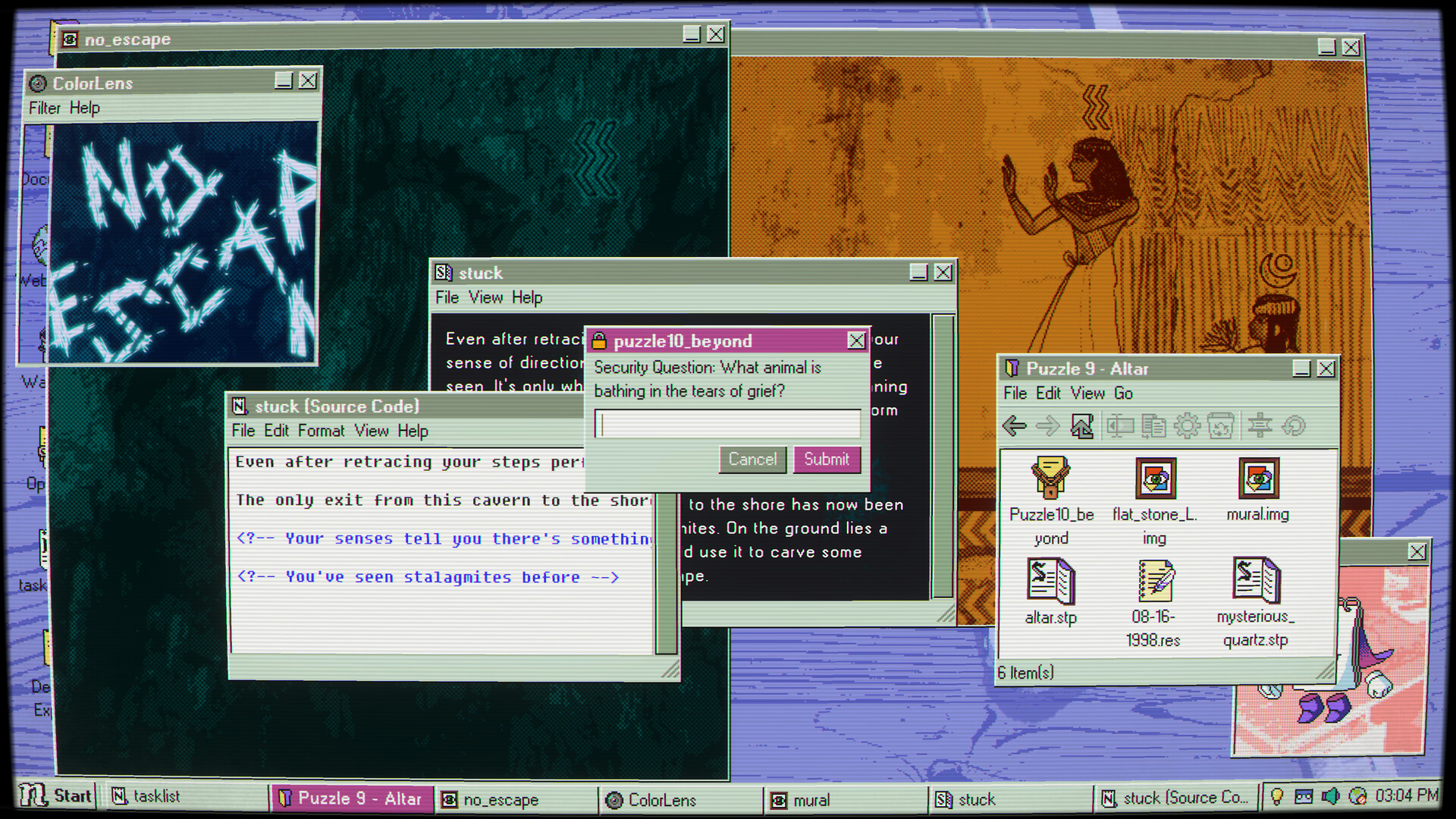
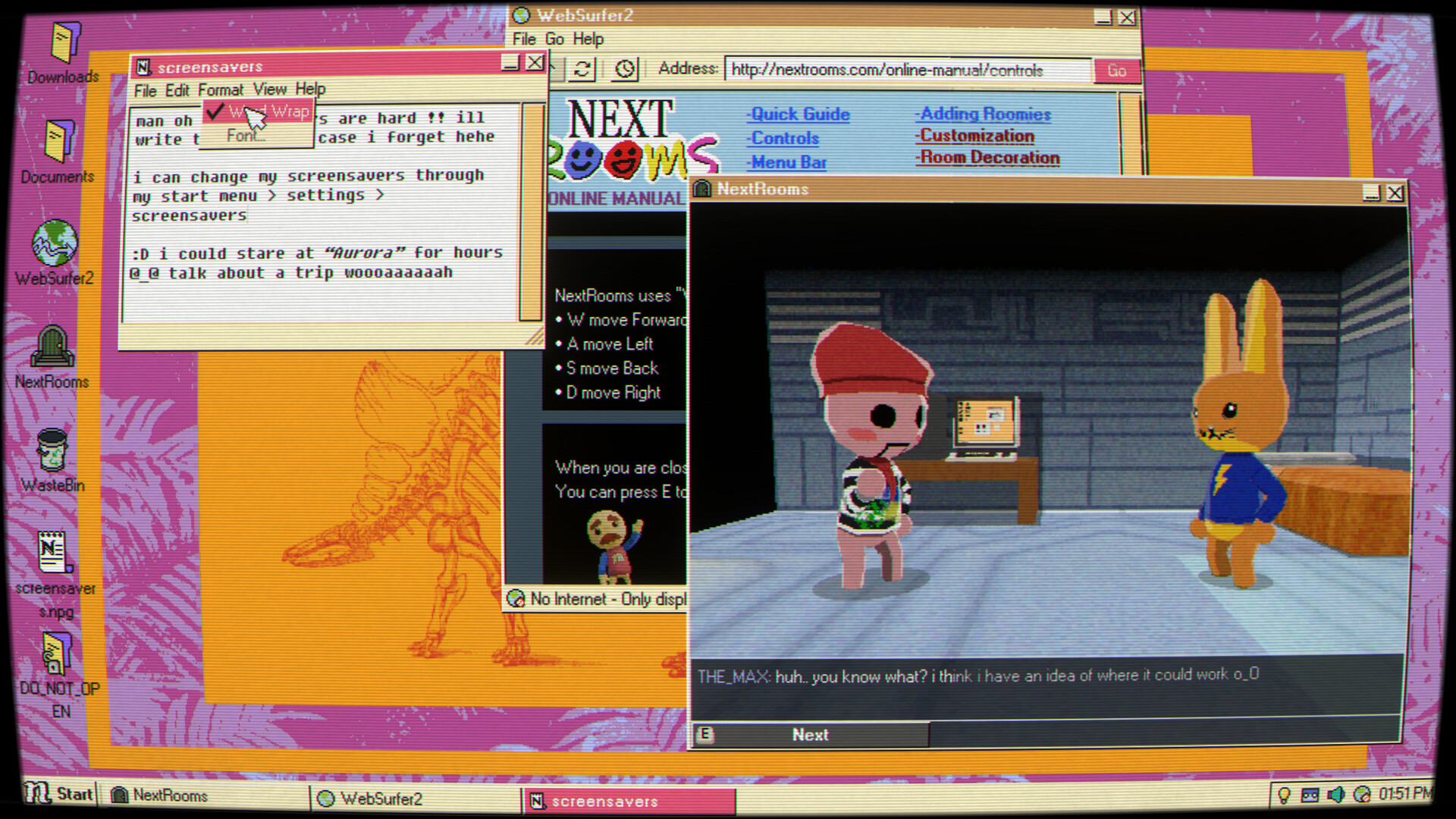
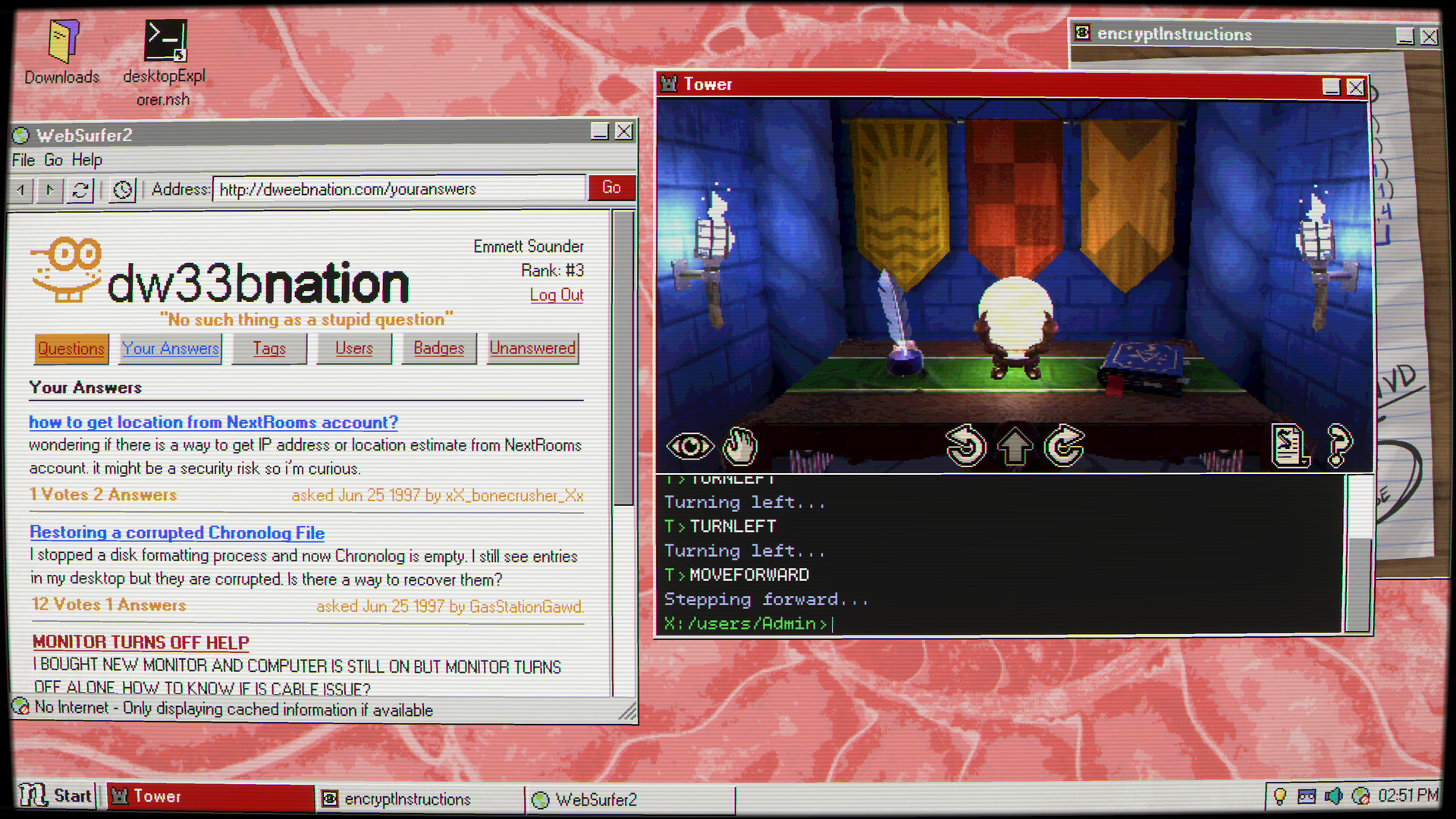
Desktop Explorer recreates a 90s-style OS environment where windows, menus and faux applications serve as locations to search for clues and puzzles.
Puzzles Built from OS Tools
Solve puzzles using file explorers, chat logs, corrupted applications and small pre-installed mini-games that are integrated into the desktop interface.
Psychological Mystery Told Through Interfaces
The narrative unfolds as a missing-person investigation delivered via fragmented memories and eerie interfaces rather than traditional cutscenes.
Steam Integration and Single-Player Focus
Desktop Explorer is single-player and supports Steam features including achievements, Steam Cloud, save-anytime mechanics, family sharing, custom volume controls, and stereo sound.
Platforms and Localization
Available for Windows and macOS with interface localization in English, Simplified Chinese, Traditional Chinese, and Spanish (Latin America).
Audio, Visual Style and Warning
The game uses an original evocative soundtrack, retro-digital 3D visuals and nostalgic computer sounds; it also includes a photosensitivity warning for flashing/rapid imagery.
Desktop Explorer Screenshots

Desktop Explorer FAQ
Which platforms can run Desktop Explorer?
Desktop Explorer supports Windows and macOS builds on Steam. Verify your specific OS version and compatibility on the Steam page before purchase.
What languages are available in Desktop Explorer?
Interface text is localized into English, Simplified Chinese, Traditional Chinese, and Spanish (Latin America). Full audio and subtitle translations do not appear to be included.
How difficult are the puzzles and are hints available?
Puzzles in Desktop Explorer are intentionally cryptic and often reward note-taking and lateral thinking. An in-game assistant/hint system exists, but players report mixed usefulness for particularly obscure puzzles.
Does Desktop Explorer support saves, achievements, and Steam features?
Yes — Desktop Explorer is single-player and lists Steam features such as save-anytime, Steam Cloud, achievements and family sharing. Check the store page for full platform feature details.
Are there any content or health warnings?
Desktop Explorer carries a photosensitivity warning for flashing lights and rapid screen effects and contains psychological-horror themes. Consider that before playing if you are sensitive to those elements.
Desktop Explorer Quick Facts
Genres
Tags
Check On Steam
Use this brief to decide whether Desktop Explorer is worth a closer look, then confirm the details that can change or depend on your setup.
- • Latest system requirements for your PC
- • Interface, subtitle, and audio language support
- • Current price, discounts, release timing, and platform notes
Latest Games
MoreA quick way to spot a few of the newest releases worth browsing next.
Recommendation Brief
More Games To Consider After Desktop Explorer
These picks are ranked by similarity signals, freshness, and review strength, then presented with only the most useful non-repeating match cues.
The Mermaid Mask
1083 reviewsTry The Mermaid Mask if you want a nearby take on point & click and puzzle, with its own mix of scope and pacing.
Sinheritance
53 reviewsTry Sinheritance if you want a nearby take on point & click and puzzle, with its own mix of scope and pacing.
Scottside
71 reviewsTry Scottside if you want a nearby take on psychological horror and point & click, with its own mix of scope and pacing.
Staffer Retro : A Supernatural Mystery Quest
431 reviewsTry Staffer Retro : A Supernatural Mystery Quest if you want a nearby take on point & click and puzzle, with its own mix of scope and pacing.
Servant of the Lake
921 reviewsTry Servant of the Lake if you want a nearby take on psychological horror and point & click, with its own mix of scope and pacing.
Homicide Desk
72 reviewsTry Homicide Desk if you want a nearby take on point & click and investigation, with its own mix of scope and pacing.