Player Decision Brief
AI-VJ
Consider AI-VJ if you want a straightforward way to put music-reactive visuals on a screen for DJ sets or parties. Skip it if AI-generated imagery is a deal-breaker or you need a non-Windows tool.
Is AI-VJ Right For You?
Best For
- ✓ DJs looking to add visuals synced with their music
- ✓ Party and event hosts using a projector or large display
- ✓ Listeners who want reactive visuals running in the background
- ✓ Users who want to mix pre-made visuals with their own media
Think Twice If
- ! Players who object to AI-generated imagery
- ! People looking for a macOS or Linux version
- ! Users expecting every visual pack and customization option to be included for free
Before You Buy AI-VJ
Check Windows compatibility and compare your hardware with the full system requirements.
Decide whether Ableton Link or an audio input setup best fits your music source.
AI visuals are central, though you can also load your own videos, loops, pictures, and supported visual files.
Check which content and options are included in the free app and which are paid DLC.
AI-VJ Fit Matrix
Coop
Low
Solo
High
Grind
Low
Story
Low
Performance risk
Medium
Beginner friendly
Medium
What Players Say About AI-VJ
Recurring player themes that may help you decide whether this game fits your taste.
Players Often Praise
- • Many positive comments praise the quick setup and straightforward use.
- • Players often enjoy the visuals reacting to music and using them at parties or while listening.
Common Complaints
- • Some players report a confusing interface or inconsistent syncing.
- • Objections to AI-generated imagery are a recurring source of criticism.
- • Some players question the available customization or the value of paid visual content.
Mixed Reactions
- • Syncing works well for some players, while others report unreliable results.
- • Opinions on the AI visuals are sharply divided.
Performance Notes
- • Some reviewers report crashes or unstable GPU use, while others describe the software working well for their needs.
Purchase Notes
- • Some players appreciate the free base app, while others criticize paid visual packs and customization DLC.
Player Fit
- • A good fit for players seeking ready-to-run visuals for DJ sets, events, or background listening.
- • Less suitable for players who prefer non-AI artwork or need highly predictable syncing.
AI-VJ Key Features
Ableton Link DJ sync
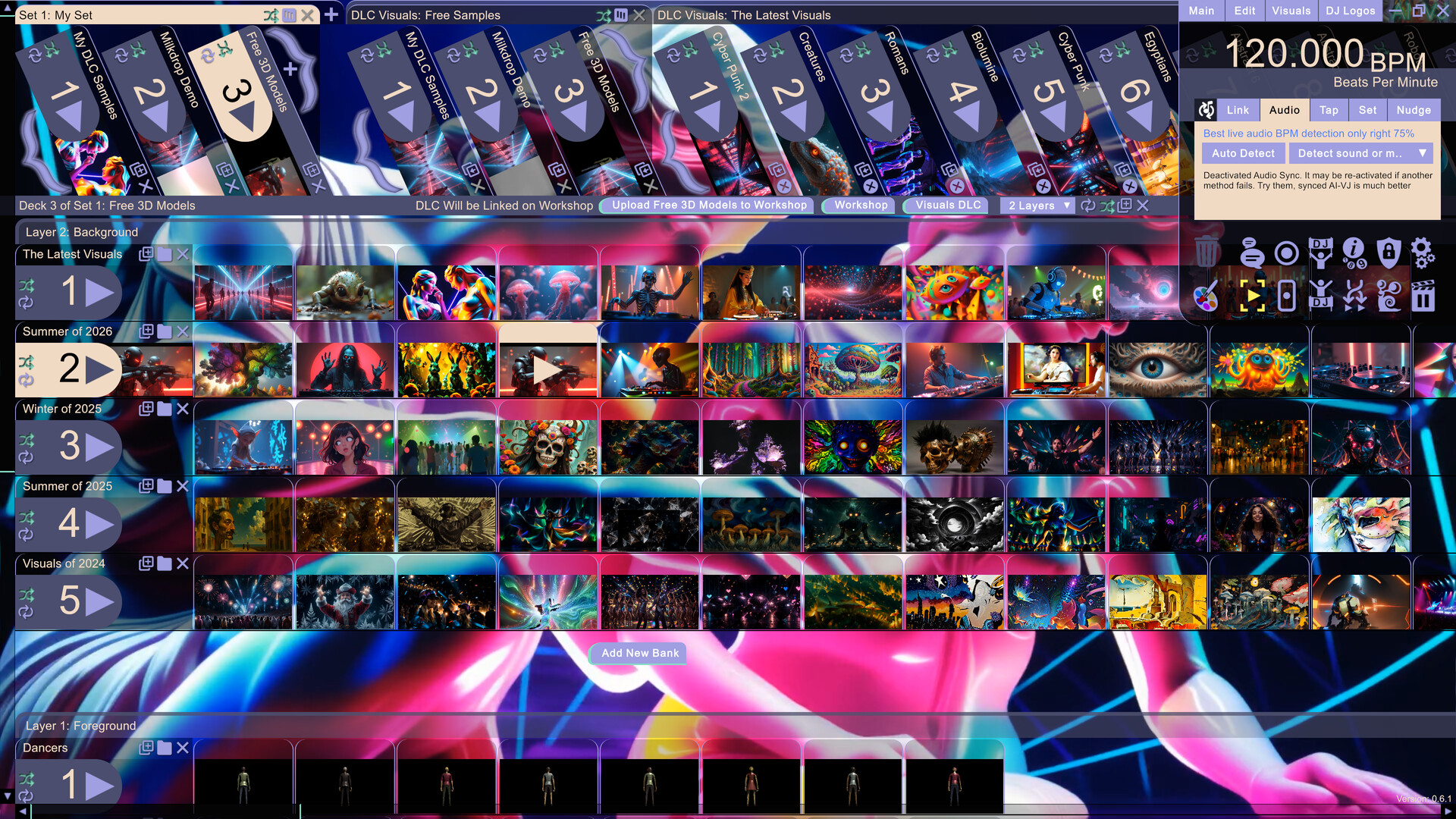
AI-VJ can connect through Ableton Link to programs including Virtual DJ, Rekordbox, Traktor, and Serato to sync visuals with a DJ set.
Live audio BPM estimation
When Link is not in use, it can estimate BPM from sources such as line-in, microphone input, WASAPI, or PC audio loopback.
AI visuals and live fractals
AI-VJ includes curated, pre-generated AI visuals and live fractals, with default settings intended to simplify setup.
Use your own visual media
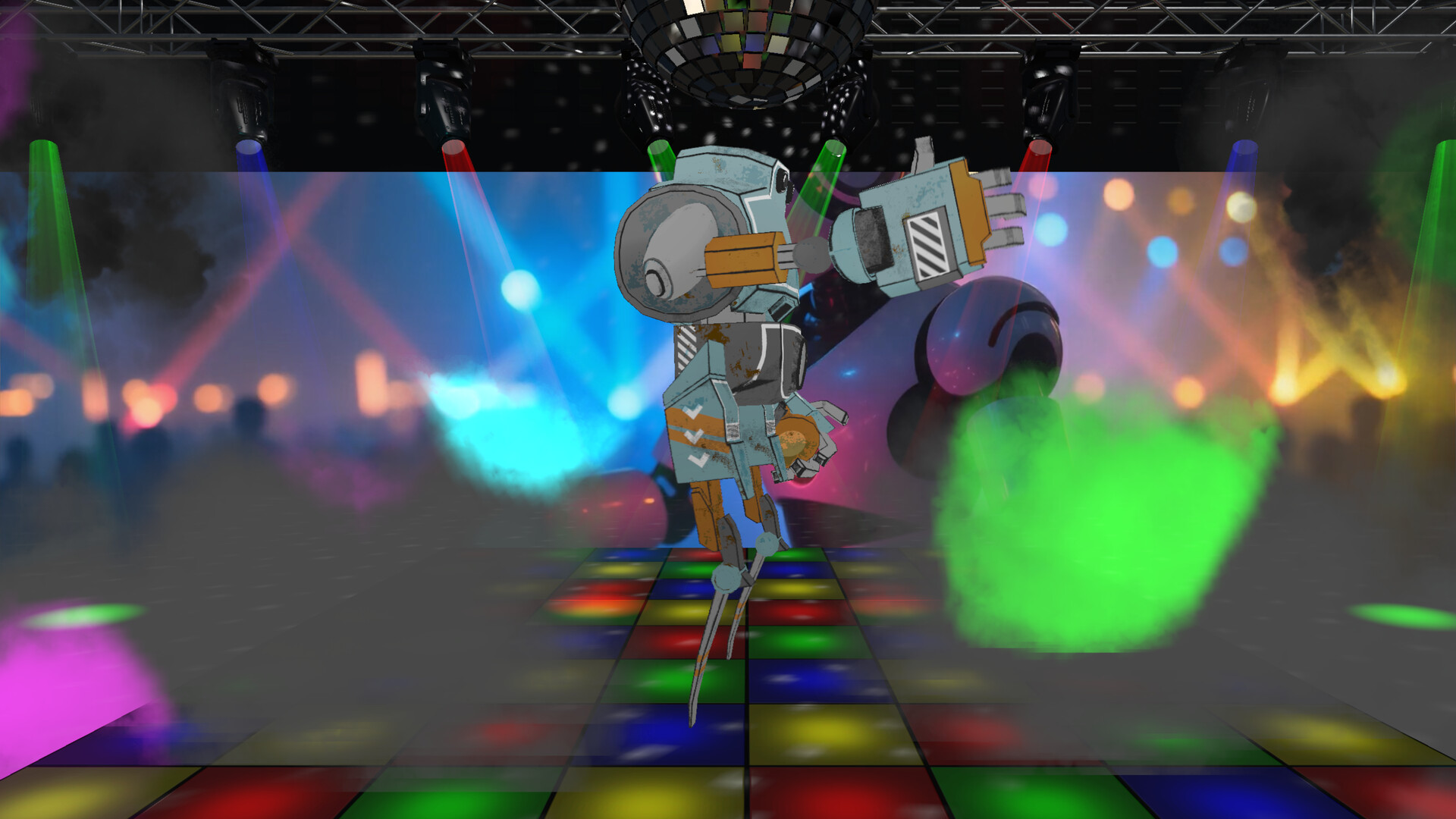
Load MP4 videos and VJ loops, sound-animated.glb models, Milkdrop files, or pictures for automatically audio-synced slideshows.
Arrange layered visuals
Drag and drop visual clips, fractals, and pictures across banks, decks, and sets. Multiple layers can overlay and merge visuals.
Flexible display and controls
Run AI-VJ on one screen or a projector display, hide the interface in fullscreen, and control it with a keyboard and mouse. Steam Workshop and Cloud support are also listed.
AI-VJ Screenshots


AI-VJ FAQ
What platforms does AI-VJ support, and what should I check?
AI-VJ is listed for Windows. Compare your PC with the Steam page's full system requirements before installing.
What languages are supported?
English is listed for the interface, full audio, and subtitles.
Is AI-VJ free?
The base app is free. Additional visual packs and some non-core options, including DJ logo customization, are paid DLC.
How does AI-VJ sync visuals to music?
It can sync through Ableton Link with popular DJ software, or estimate BPM from live audio sources such as a microphone, line-in, or PC audio.
What do players say about AI-VJ?
Reactions are divided: positive comments often praise quick setup and music-reactive visuals, while criticism commonly targets AI imagery. Some players also report confusing controls or inconsistent syncing.
AI-VJ Quick Facts
Genres
Tags
Check On Steam
Use this brief to decide whether AI-VJ is worth a closer look, then confirm the details that can change or depend on your setup.
- • Latest system requirements for your PC
- • Interface, subtitle, and audio language support
- • Current price, discounts, release timing, and platform notes
Latest Games
MoreA quick way to spot a few of the newest releases worth browsing next.
I Know a Guy: Shady Life Simulator
Recommendation Brief
More Games To Consider After AI-VJ
These picks are ranked by similarity signals, freshness, and review strength, then presented with only the most useful non-repeating match cues.
My Singing Monsters Karaoke
535 reviewsTry My Singing Monsters Karaoke if you want a nearby take on music and rhythm, with its own mix of scope and pacing.
ShipShaper: Falconeer Chronicles
149 reviewsTry ShipShaper: Falconeer Chronicles if you want a nearby take on atmospheric and design & illustration, with its own mix of scope and pacing.
Your Fiancée
587 reviewsTry Your Fiancée if you want a nearby take on artificial intelligence and utilities, with its own mix of scope and pacing.
EZ-Crosshair
116 reviewsTry EZ-Crosshair if you want a nearby take on animation & modeling and utilities, with its own mix of scope and pacing.
OFFBEAT
216 reviewsTry OFFBEAT if you want a nearby take on utilities and audio production, with its own mix of scope and pacing.
EmoteLab
437 reviewsTry EmoteLab if you want a nearby take on animation & modeling and utilities, with its own mix of scope and pacing.